⌂
Open files and folders
Open a single Markdown file or a whole folder. Browse your workspace from the sidebar and keep related notes together.
Simple MD makes writing and previewing Markdown feel straightforward. Open a folder or a file, switch between source, preview, split, and WYSIWYG modes, choose the theme that fits your room, and inspect Git diffs before changes get away from you.
robrighter/simple-md · ★ Star on GitHub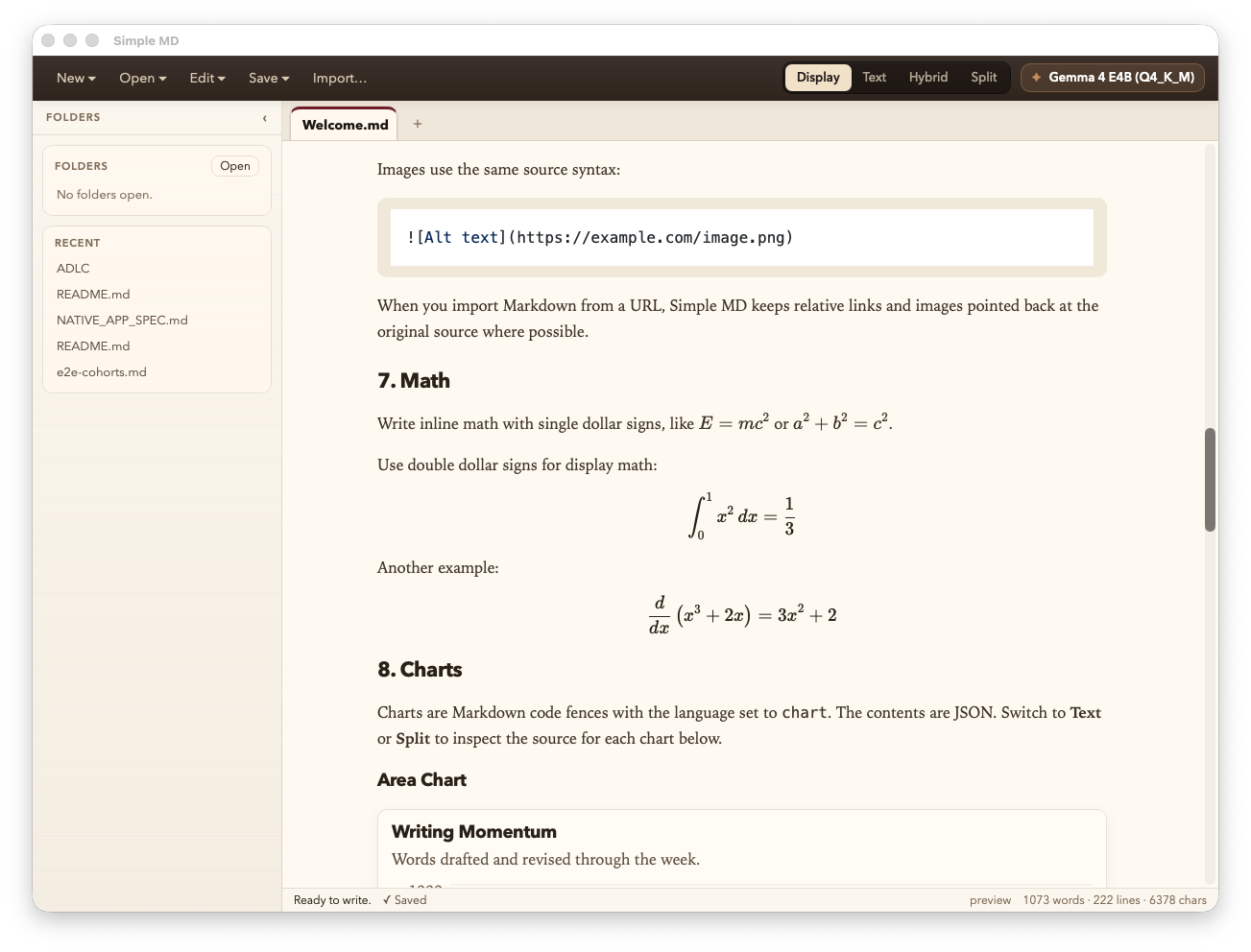
Simple MD keeps the basics obvious and the useful extras close at hand: previews, tabs, folder browsing, math, charts, and a clean editing flow.
Open a single Markdown file or a whole folder. Browse your workspace from the sidebar and keep related notes together.
Display, Text, Hybrid WYSIWYG, and Split views are built in, so you can write and review however you prefer.
Switch between light and dark themes from the top bar. The editor, preview, syntax highlighting, charts, and math all move together.
See working tree changes for tracked Markdown files, including added, changed, and deleted lines, without leaving Simple MD.
First-class KaTeX for inline and block LaTeX. Drop a fenced chart block of JSON and it renders as a real chart.
Open a folder, get a real file tree. Right-click to rename, move, or delete — all changes go straight to the filesystem.
Set Simple MD as your default for .md, .markdown, .mdown, and .mkd. Double-click in Finder or Explorer — it just opens.
An optional local AI assistant runs Gemma 4 entirely on your machine. Insert, replace, or append straight into the document.
Paste any HTTPS URL — including github.com/.../blob/... links — and Simple MD fetches the raw Markdown safely.
Built on CodeMirror 6 and ProseMirror. Big notes scroll smoothly; preview rendering stays off the typing critical path.
Hybrid mode preserves your Markdown exactly. Edit visually, save, and your source stays clean.
The active document is always front and center. Switch modes with the tabs in the top bar, or with a keyboard shortcut — your cursor and scroll position come along.
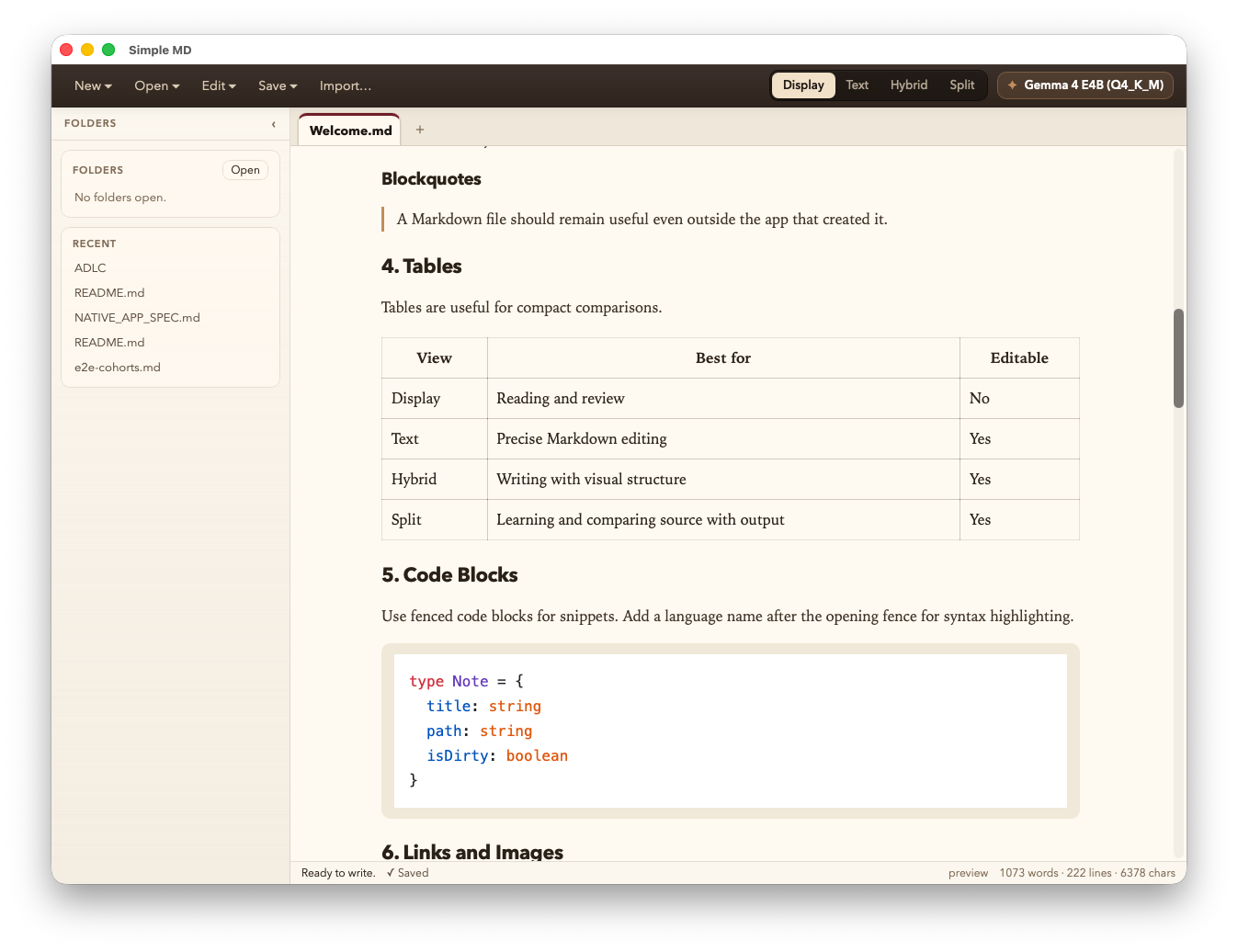
Polished typography, GitHub-flavored Markdown, syntax-highlighted code, KaTeX math, and inline charts. Distraction-light reading and proofing.
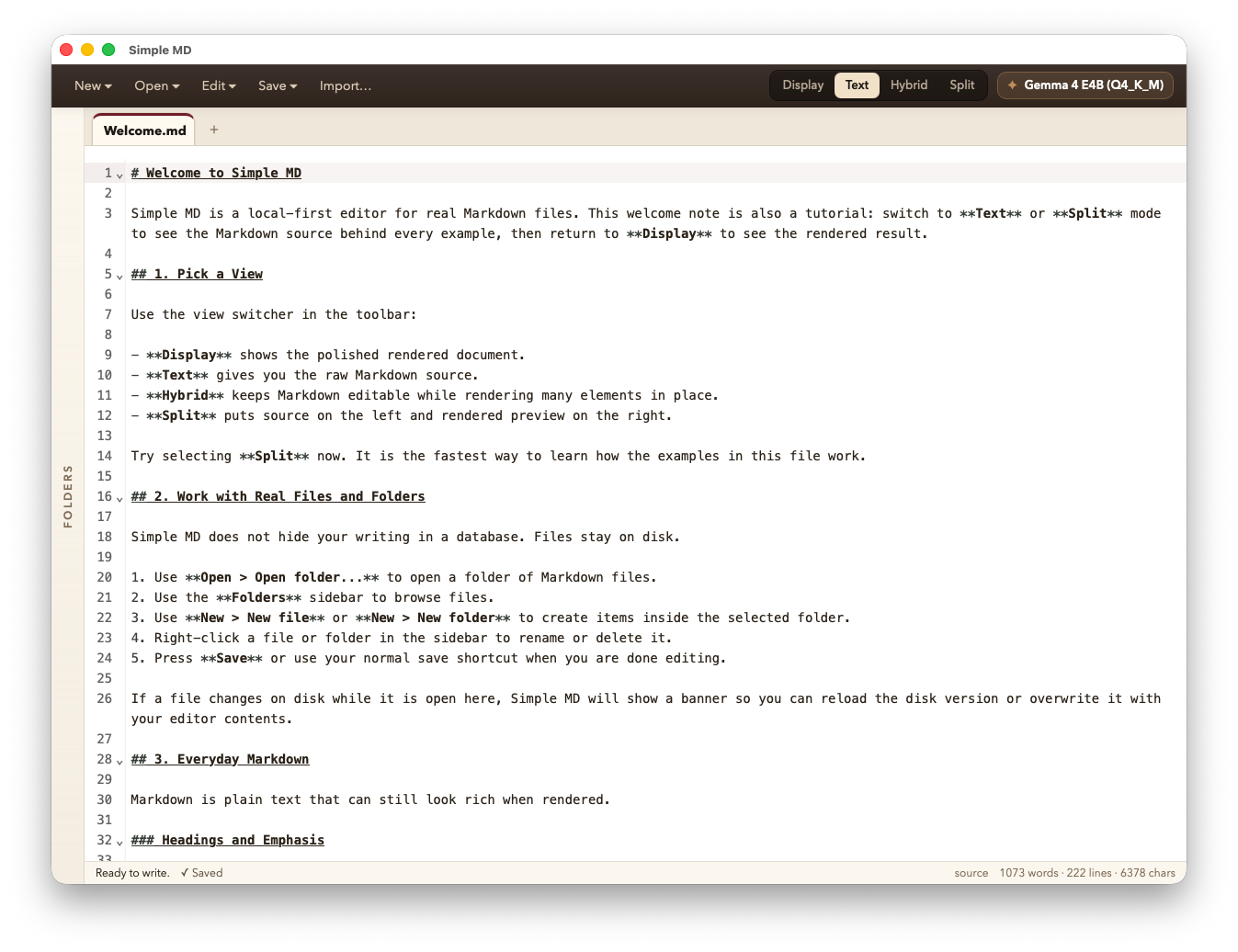
Pure source editing in CodeMirror 6 with syntax highlighting, list continuation, and bracket matching. Power users feel right at home.
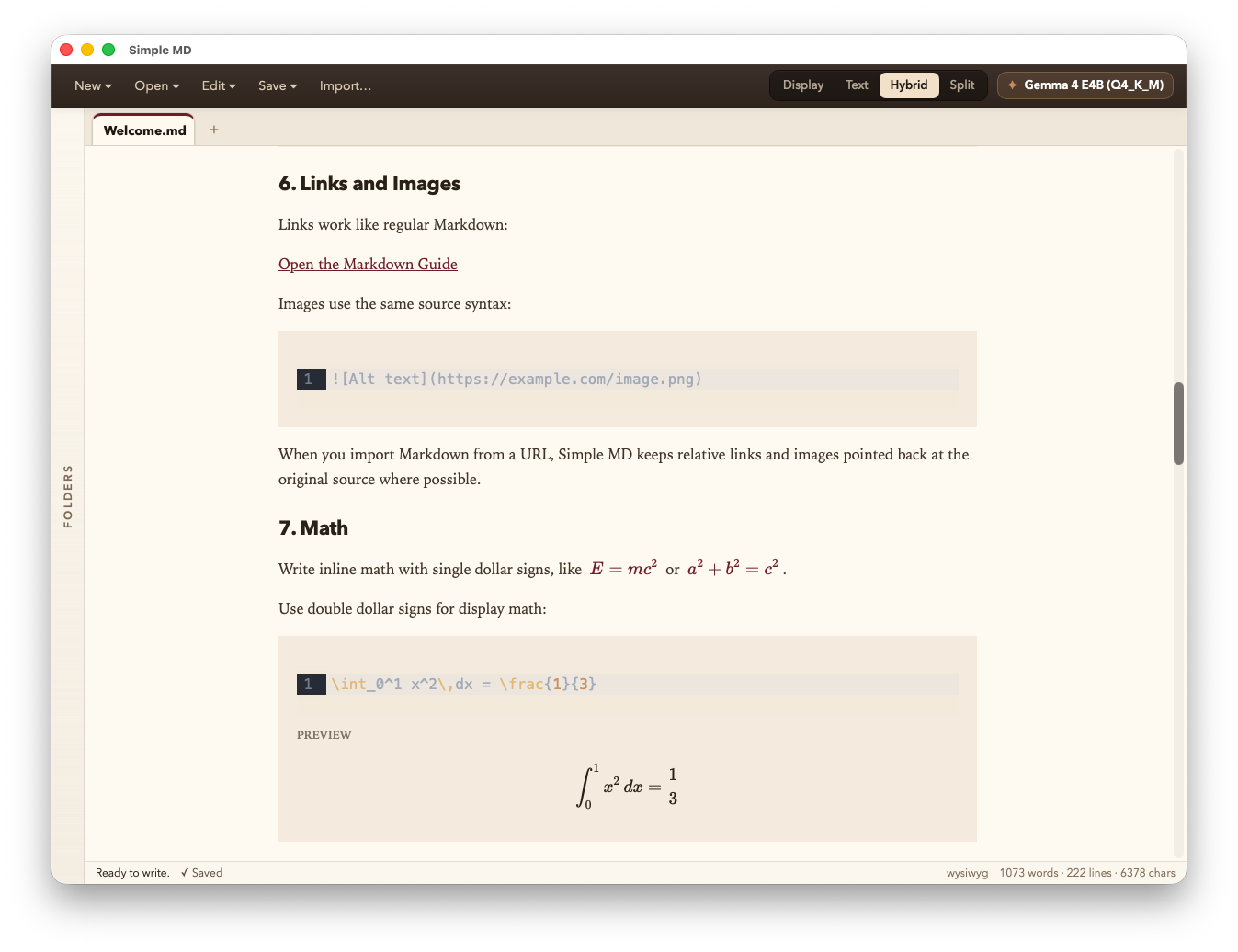
Edit rich text directly while Markdown stays the source. Powered by Milkdown / ProseMirror with lossless round-trip.
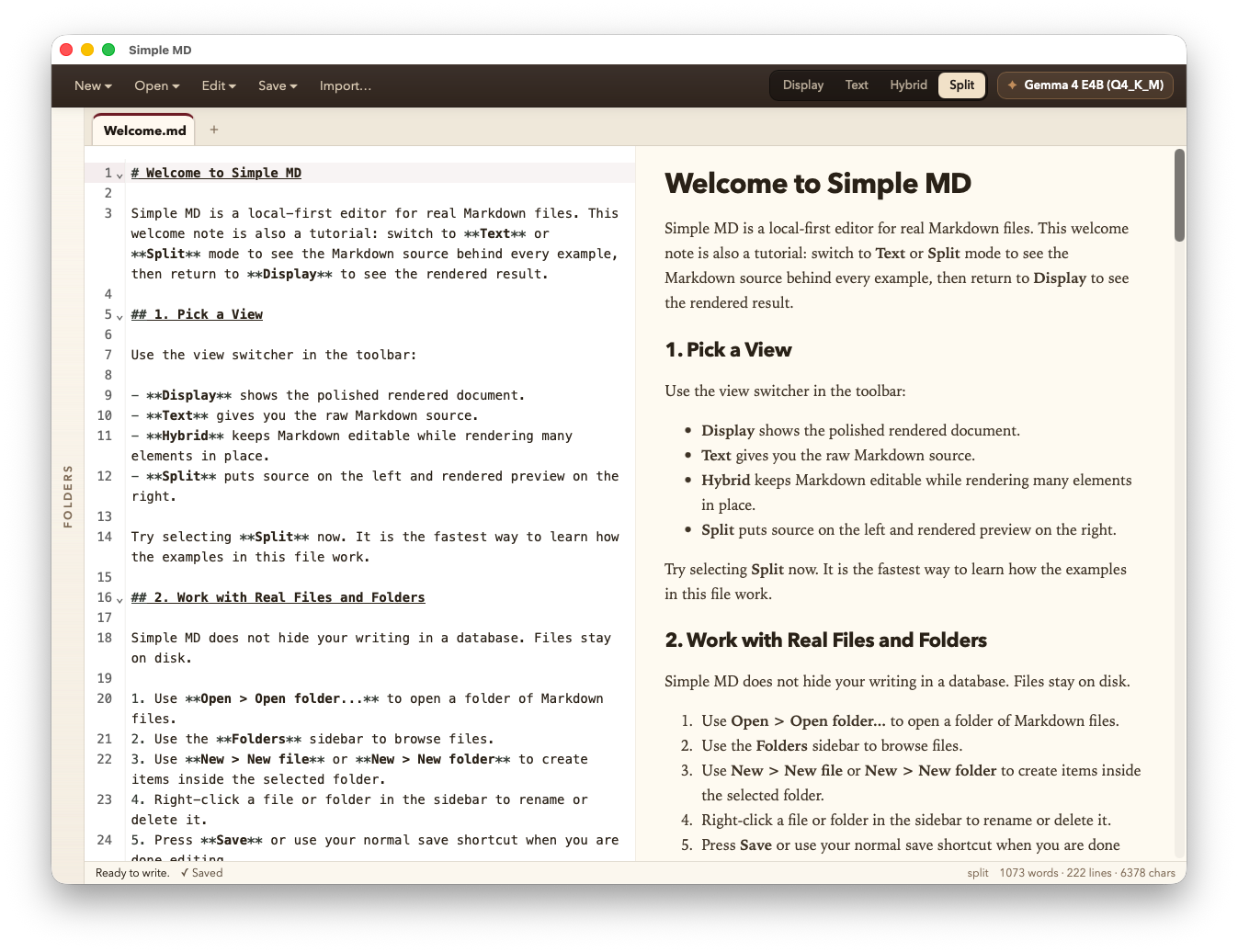
Type in raw Markdown and watch the rendered version update beside you. Synchronized scrolling, no fuss.
Pick the look that matches your room from the Theme control in the top bar. Typography, code blocks, charts, KaTeX math, and editor chrome all adapt together.
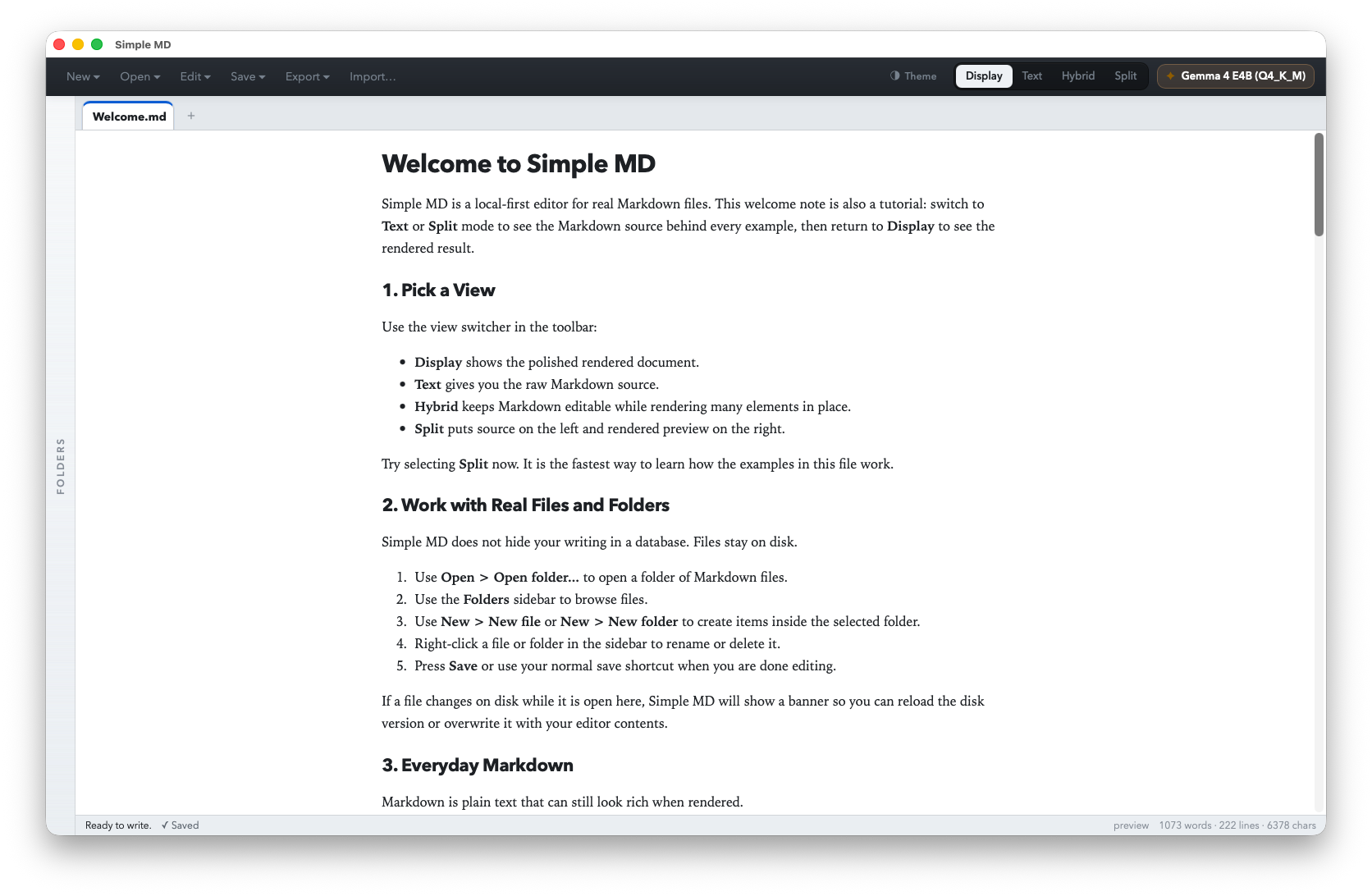
A soft cream surface and gentle accents that stay easy on the eyes for long writing sessions during the day.
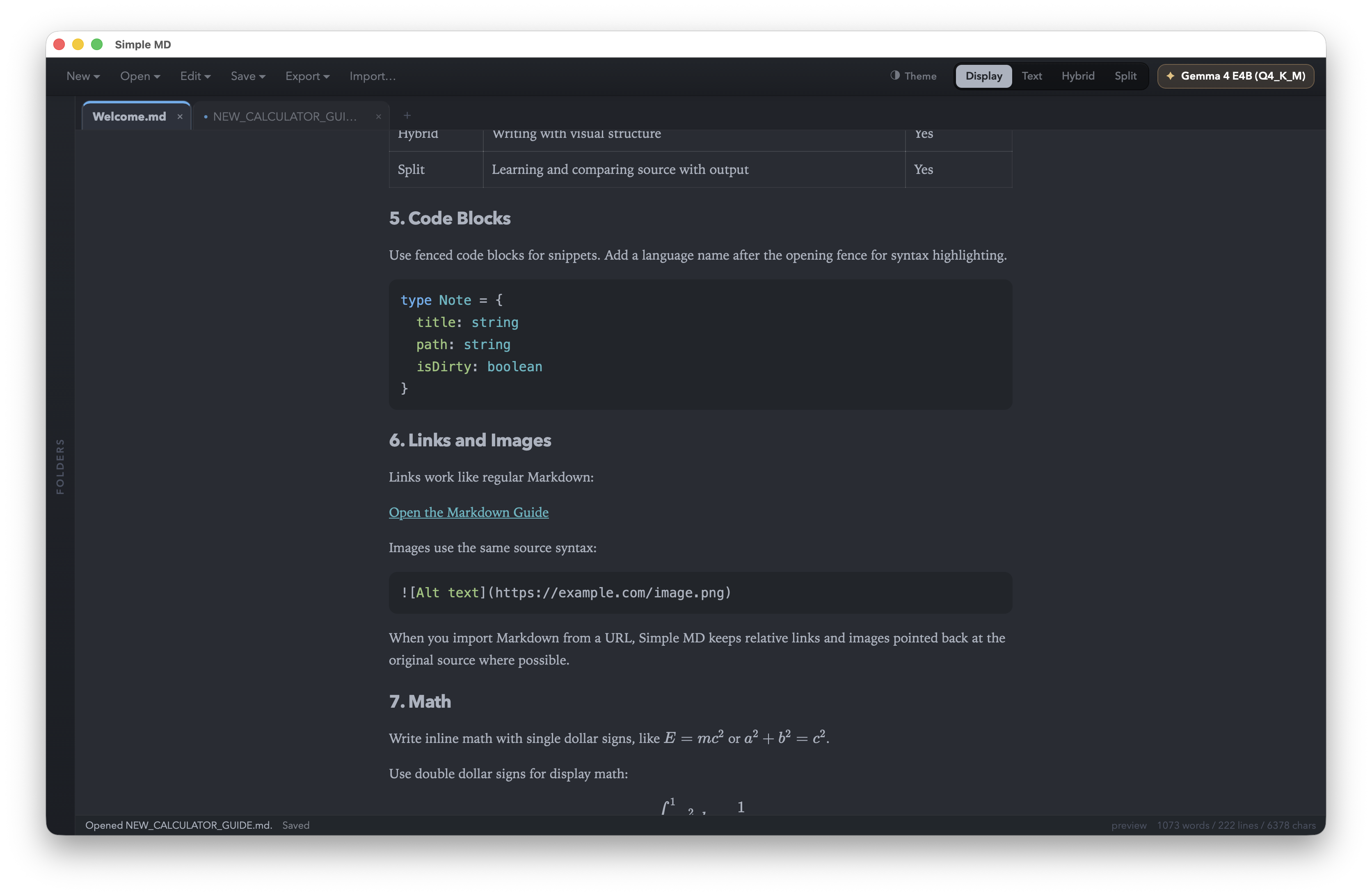
Deep surfaces with crisp contrast for code, tables, links, and syntax highlighting. Friendly for late-night editing and long review passes.
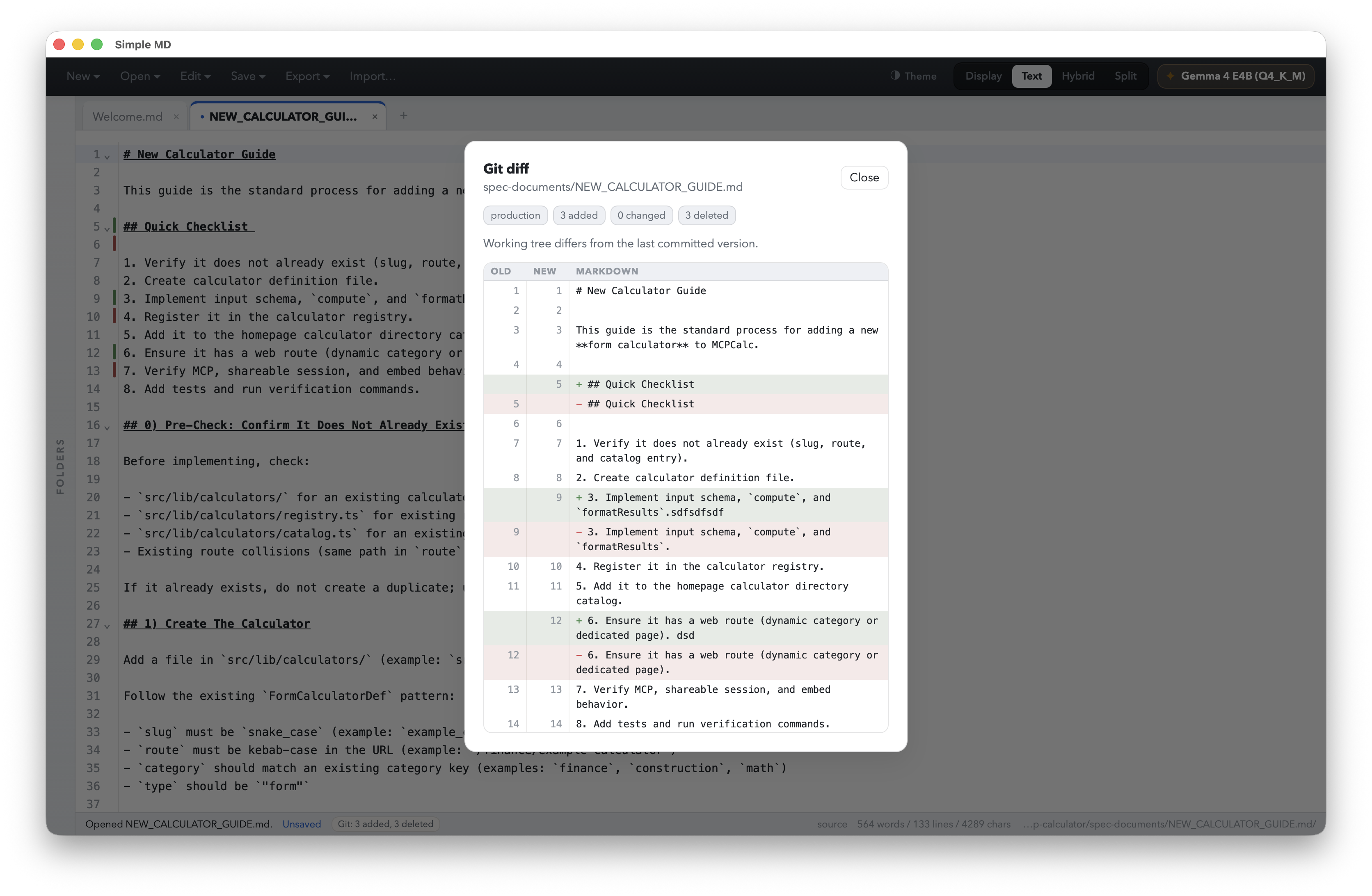
When a file lives in a Git repository, Simple MD can show the working tree diff right in the app. Added and deleted lines are highlighted in context, with a quick summary of how many lines changed.
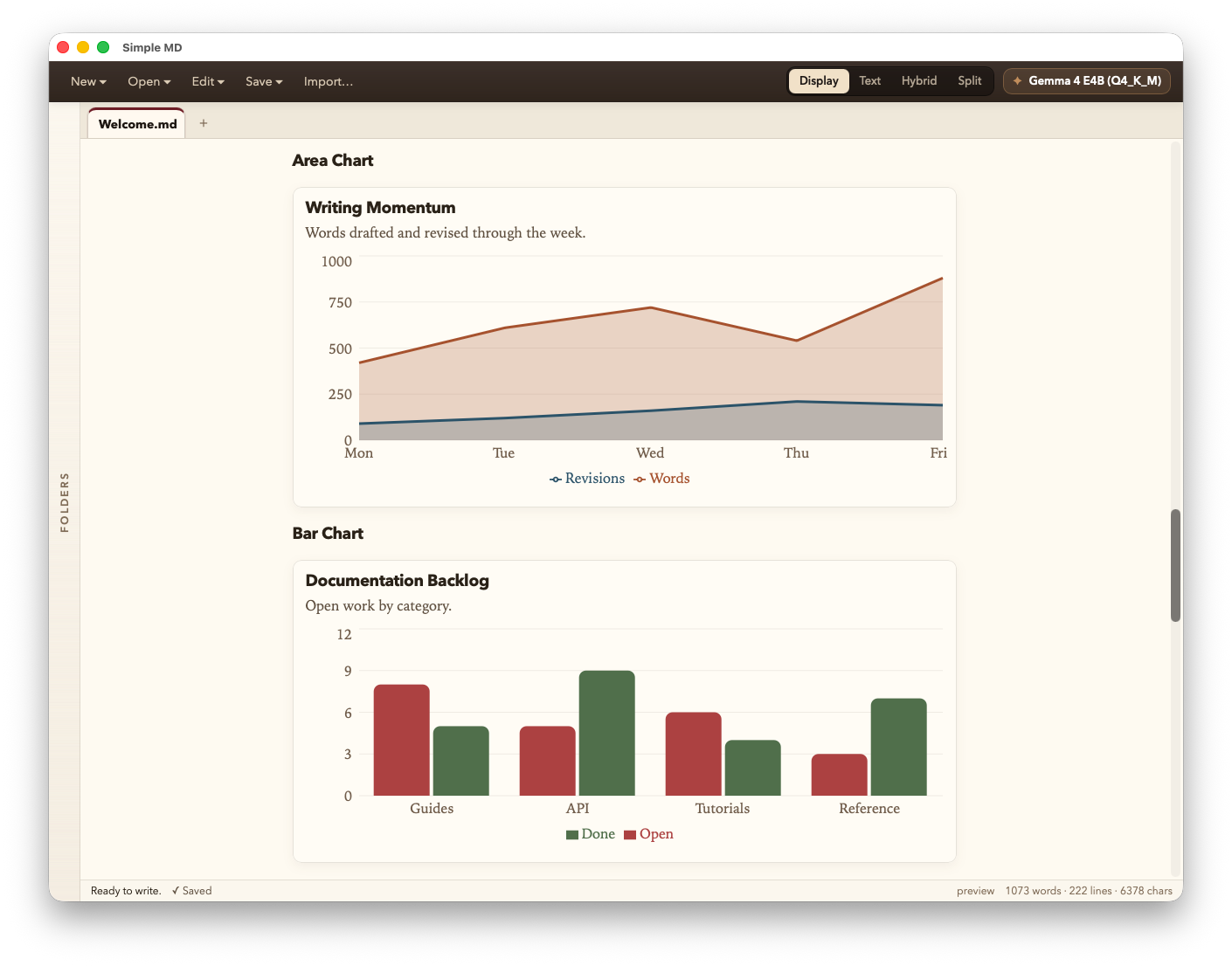
Drop a fenced chart block with a JSON spec and Simple MD renders it as a real Recharts visualization in
preview and hybrid mode — bar, line, area, and pie supported. It is a practical way to keep
small charts, notes, and source data together.
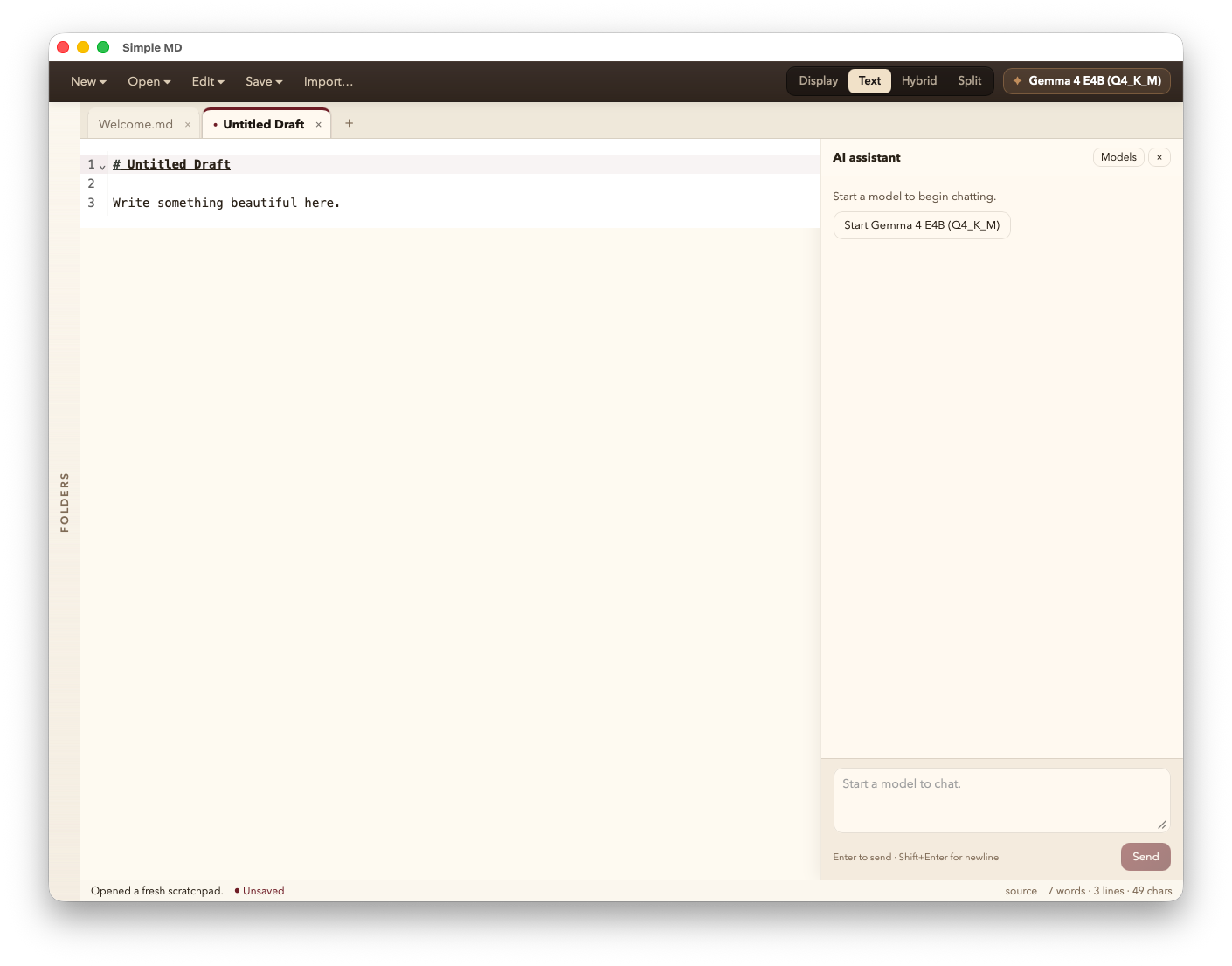
The assistant can use the active document as context, then insert, replace, or append text directly in the editor. It is opt-in, runs on-device, and only downloads a Gemma model when you choose to enable it.
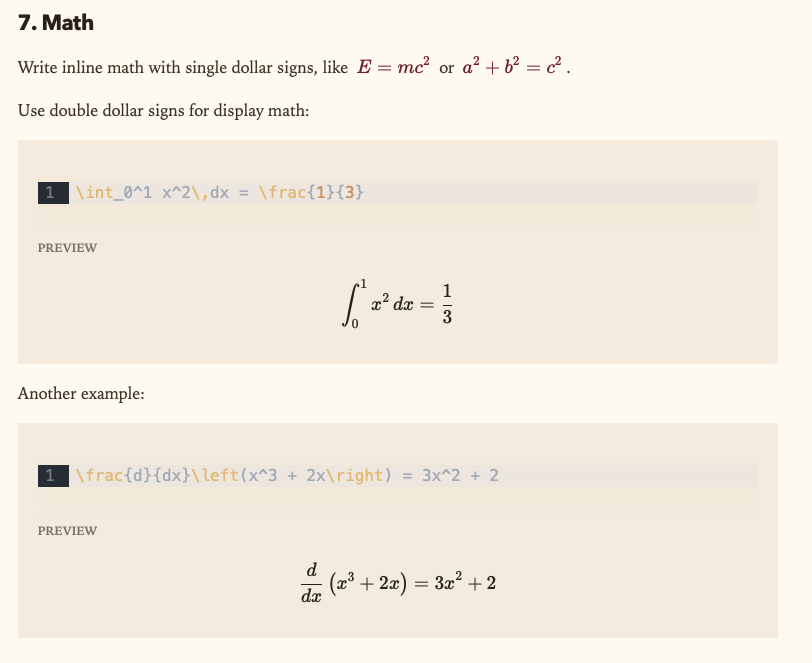
Inline $…$ and block $$…$$ render through KaTeX in
Display, Hybrid, and Split mode. No plugin to install, no server to reach, no shimmer
of "fetching fonts" — Simple MD bundles everything it needs.
A quick checklist of what is built in today, from basic editing to richer notes with charts, math, tabs, and file associations.
.md without adding its parent folder.+ on the tab strip.chart JSON renders as bar / line / area / pie..md, .markdown, .mdown, .mkd.Download the build for your computer and start editing Markdown files in a few clicks.
Native build for Apple Silicon (M1, M2, M3 and later). Ships as a signed zip — extract and run the included Install Simple MD.command.
Available on the Microsoft Store. The Store automatically delivers the right build for your PC — ARM64 for Copilot+ PCs and Surface, x86_64 for Intel and AMD — and handles updates automatically.

npm install && npm run tauri:build away.
View build instructions on GitHub
Looking for older builds, checksums, or release notes? See the releases page on GitHub.
Read the code, file an issue, send a pull request, or fork it and make it your own. The whole app — Rust backend, React frontend, build pipeline — lives at github.com/robrighter/simple-md.
The full guide lives in the docs — these are the questions people ask first.
You can write raw Markdown, preview it, edit visually in Hybrid mode, compare source and preview side by side, organize folders, use tabs, render math and charts, and open Markdown files directly from your OS.
Yes — both. Simple MD is free to download and use on every supported platform, and the full source lives at github.com/robrighter/simple-md. Read the code, file an issue, send a pull request, or fork it.
The AI assistant is optional and runs on your computer. Simple MD bundles a tiny llama-server sidecar and downloads a Gemma 4 model file (E2B, ~5 GB, or E4B, ~2.5 GB) the first time you enable it.
If you never use the AI button, Simple MD works as a regular Markdown editor.
Absolutely. The AI assistant is one button in the sidebar. Ignore it and Simple MD is a clean, fast, fully-featured Markdown editor. The model is only fetched the first time you accept the Gemma terms and pick a variant.
Yes. Editing, preview, charts, math, folders, and file operations work offline. Network access is only used for features that need it, like HTTPS import or downloading an optional AI model.
Linux is in scope per the spec but not yet a published build. Tauri makes it cheap to ship — once macOS and Windows are stable, Linux .deb and AppImage bundles are next.
Simple MD does not include analytics or crash reporting. It only makes network requests for actions you start, like HTTPS import or optional AI model setup.